


What is TestNG ?
TestNg is a testing framework for java programming language created by cedric beust and inspired by Junit and Nunit.
Make test creation,execution and reporting efficient.
TestNg use annotation like
@BeforeTest @AfterTest
@BeforeClass @AfterClass
@BeforeSuit @AfterSuit
@BeforeMethod @AfterMetthod
How to install TestNG for Selenium ?
Open eclipse go help menu and click Install new Software option.

Click on add button option
Put TestNG on name Text box
And copy that url https://dl.bintray.com/testng-team/testng-eclipse-release and past in loaction option.
 Click on Add button then It will search and show here.

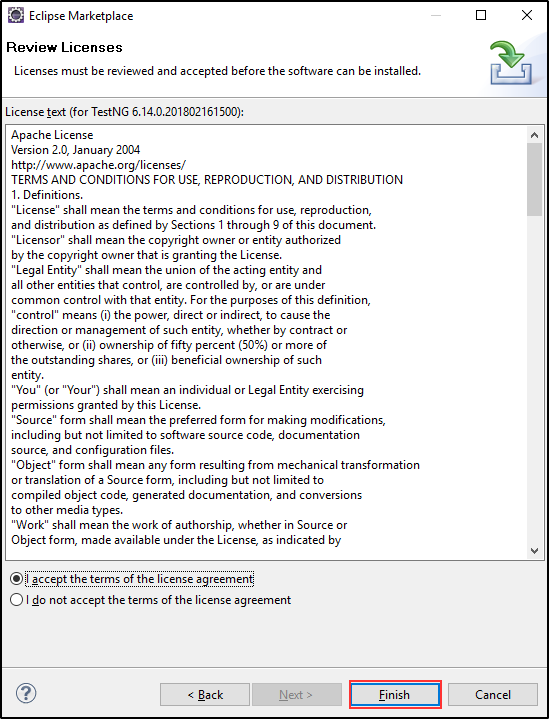
After Next accept the agreement
TestNg is a testing framework for java programming language created by cedric beust and inspired by Junit and Nunit.
Make test creation,execution and reporting efficient.
TestNg use annotation like
@BeforeTest @AfterTest
@BeforeClass @AfterClass
@BeforeSuit @AfterSuit
@BeforeMethod @AfterMetthod
How to install TestNG for Selenium ?
Open eclipse go help menu and click Install new Software option.

Click on add button option
Put TestNG on name Text box
And copy that url https://dl.bintray.com/testng-team/testng-eclipse-release and past in loaction option.


click on checkbox which is show on. and click Next
After Next accept the agreement
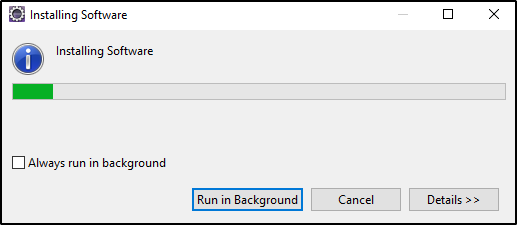
Wait for the installation to complete.
You have installed TestNG successfully

